Instructions & Amenities
Welcome to Apartment No. 14! Below you will find practical check-in instructions and tips on using room equipment.
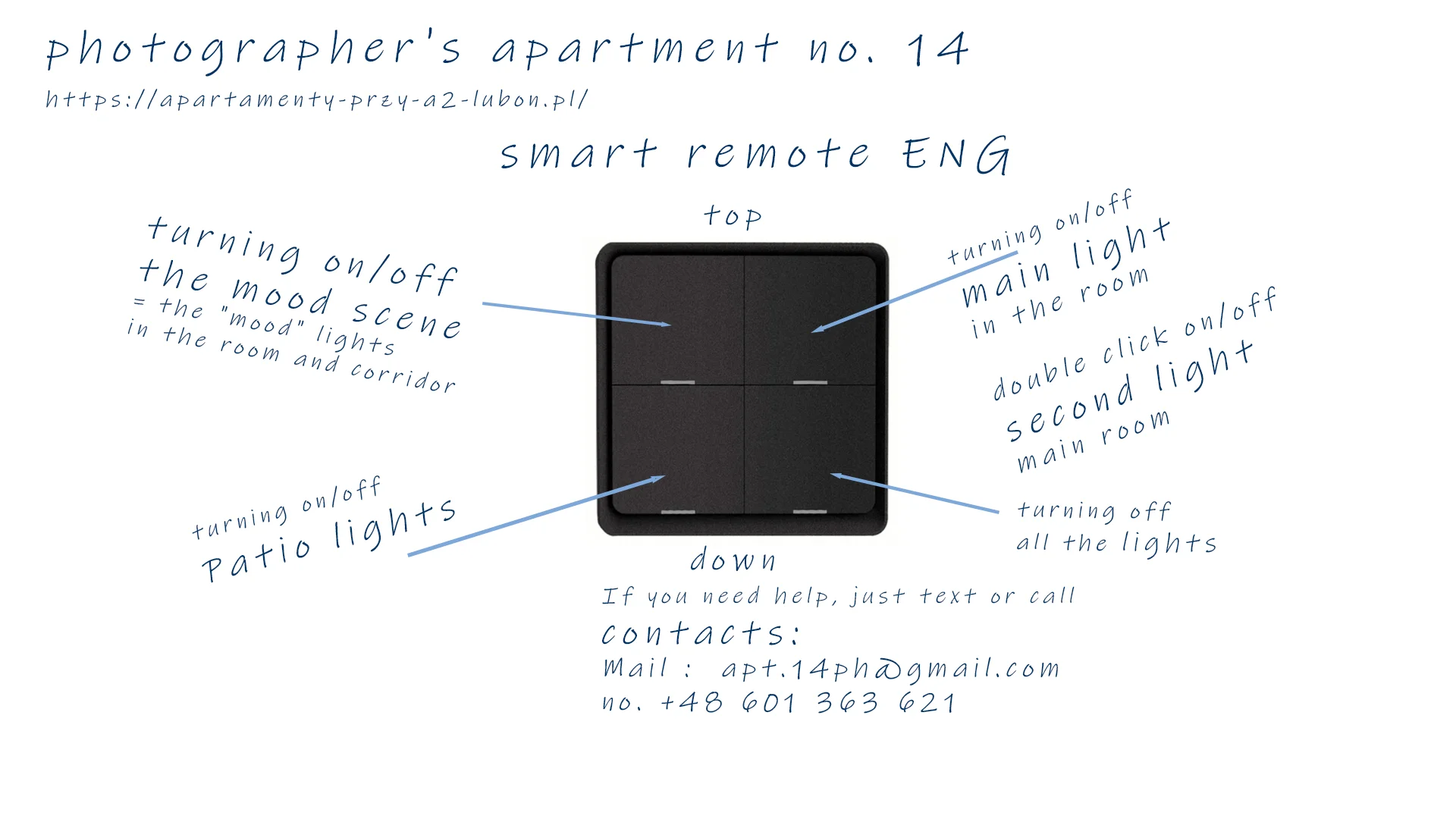
1. Smart Remote Control
In addition to the standard wall switches, you can use the dedicated black remote control to operate the lighting. The wireless remote control allows you to conveniently change light scenes from anywhere in the apartment.
2. Heating, Curtain & Air Purifier
Heating runs automatically around the clock following the schedule below — there is nothing you need to set. If you'd like to adjust anything, use the white remote in the apartment.
| Time | Temperature |
|---|---|
| 00:00–06:00 | 19–20°C — night |
| 06:00–09:00 | 21–22°C — morning comfort |
| 09:00–16:00 | 19–20°C — daytime |
| 16:00–22:00 | 21–22°C — evening comfort |
| 22:00–00:00 | 19–20°C — night |
The air purifier turns on automatically every day from 7:00–8:00 and 17:00–19:00.
The schedule above can be temporarily overridden with the white remote — here is exactly what each button does:
Button 1
- short press = Comfort mode, approx. 21–22°C for 3h.
- double press = Comfort mode, approx. 21–22°C for 5h.
- hold = instant return to the schedule above.
Button 2
- short press = Night mode, approx. 19–20°C for 5h.
- double press = Eco mode (for guests out for the whole day), approx. 18.5–19.5°C — stays until manually changed.
- hold = return to the schedule.
Button 3 (bathroom curtain)
- short press = 10 minutes.
- double press = 30 minutes.
- hold = turn off immediately.
Button 4 (air purifier)
- short press = on/off.
- double press = run for 30 minutes.
- hold = turn off.
Apartment heating temperature range: 19–23°C.
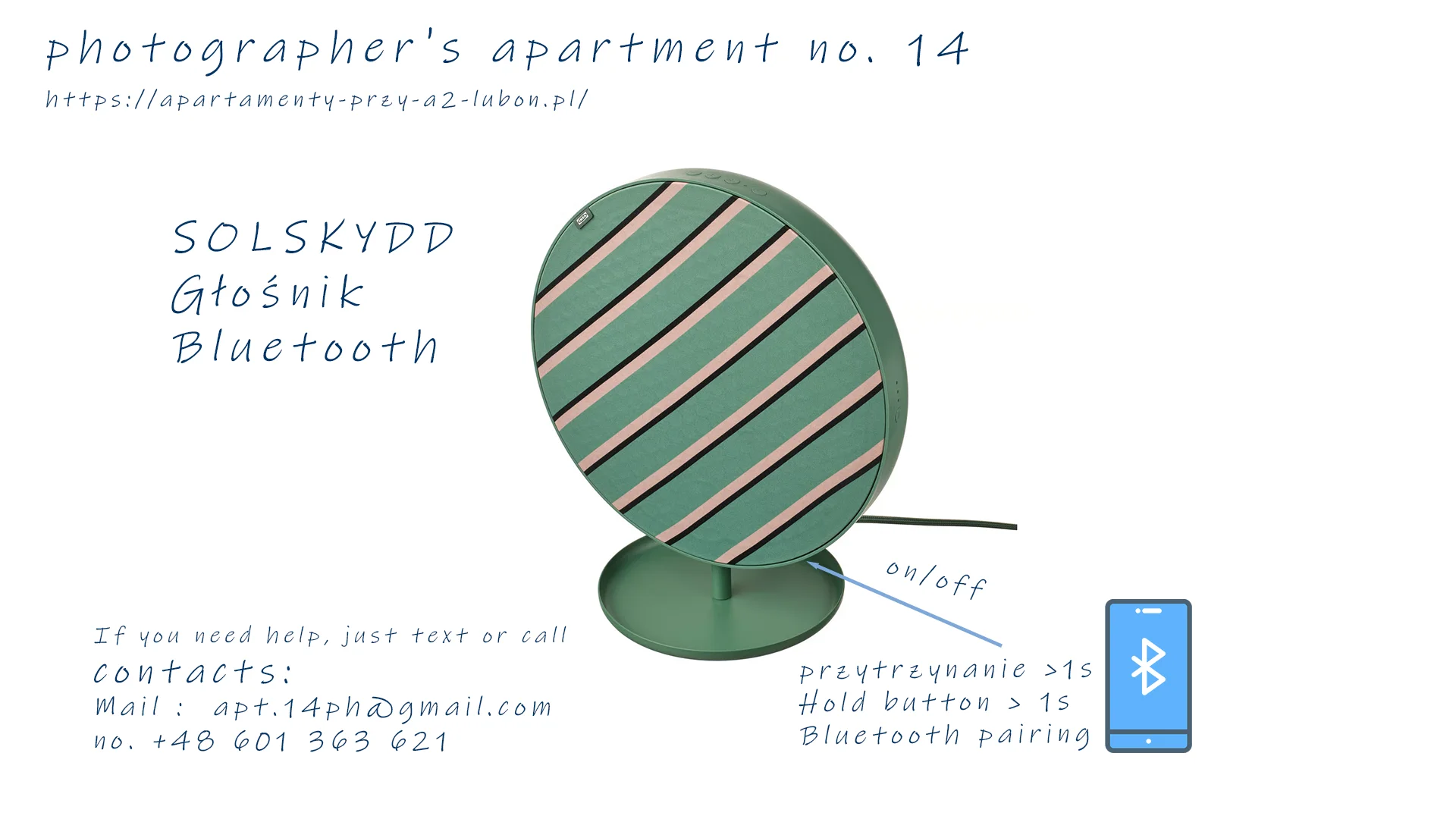
3. Bluetooth Speaker SOLSKYDD
To connect to the speaker, hold the power button for over 1 second until Bluetooth pairing mode is activated on your phone.
4. Patio & Terrace Lights
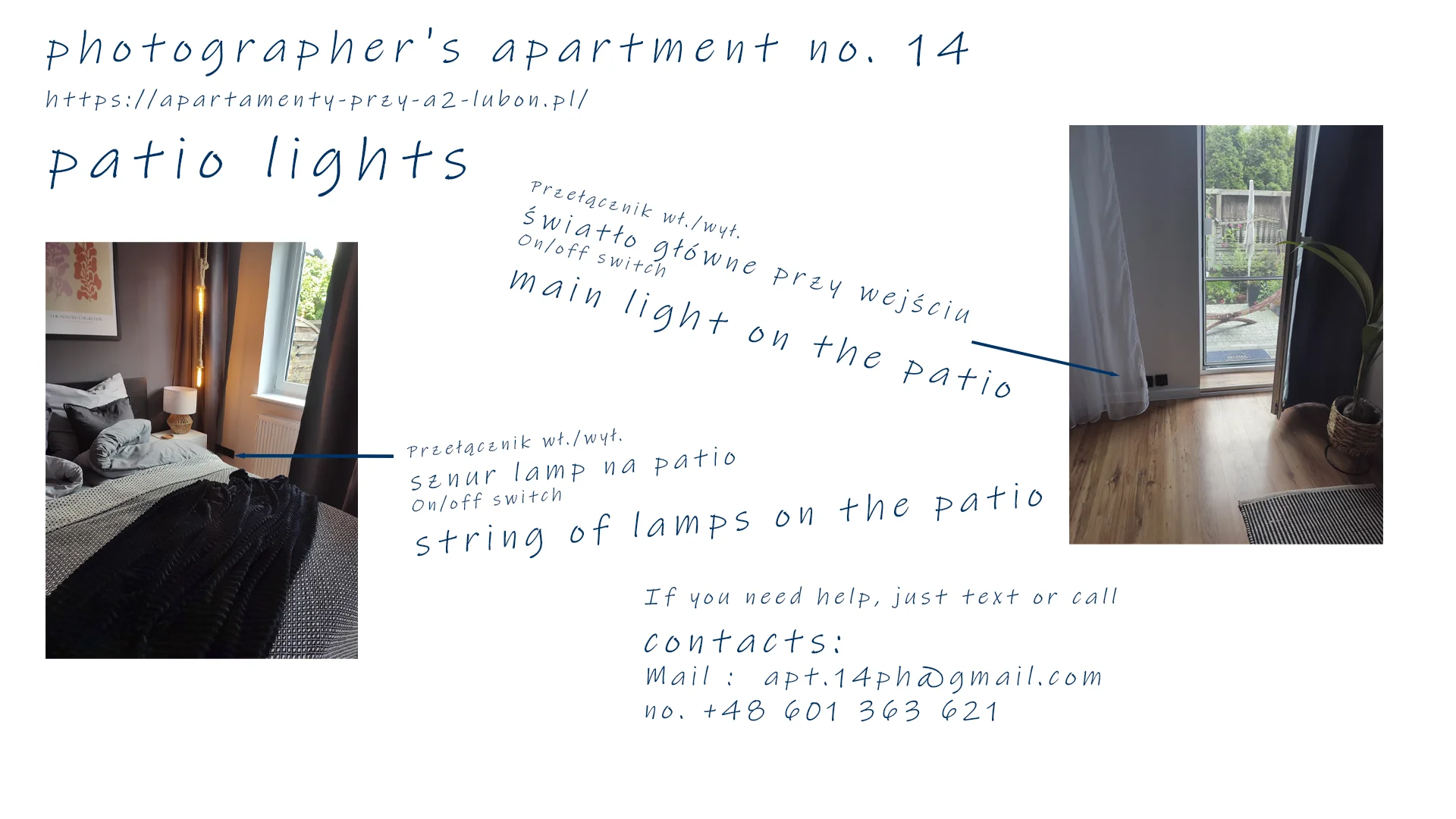
The switch near the patio door controls the atmospheric string lights and main outdoor lighting.
🔒 Guest Safe Zone
Access to check-in details (Self Check-in), Wi-Fi credentials, and safe setup requires the passcode sent in your welcome message.
Did you enjoy your stay?
If you had a nice time with us — we would be very grateful for a short Google review. It means the world to us.
Would you like to return? Write to us — we will prepare a special offer for returning guests.